
Agentic development for engineering teams
A practical look at how engineering teams can adopt agentic development across local workflows, code review, and CI/CD without losing trust, quality, or production safety.
Table of contents
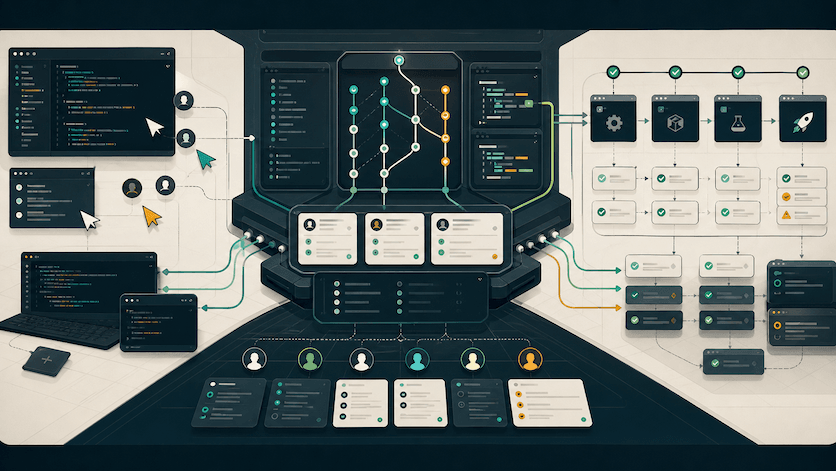
Agentic development has found its place for individuals building products. Some people are already comfortable shipping generated code they barely read.
The hard problem is no longer whether an agent can write code. We already know it can. The harder question is whether five, fifty, or five hundred engineers can use different tools without breaking the trust, review quality, deployment safety, and architectural consistency that keeps a team moving.
That is the real shift from vibe coding to agentic engineering that has left many engineering teams scrambling to adapt.
How did we get here?
2024 was an important year for this. Anthropic announced Claude 3.5 Sonnet, which quickly became one of the first models that made many developers feel like coding with AI could become genuinely useful. A few months later, Anthropic announced MCP, and the landscape changed again. Suddenly, your AI tool could plug into other platforms, pull context from Jira tickets, read PRDs in Google Docs, work with GitHub, reason about project information, and move closer to the actual places where engineering work already happens.
It was a bit surprising to see how quickly that became normal. We have gone through the different phases of vibe coding, slop or otherwise, and landed in a place where almost every part of the software development lifecycle now has some AI-shaped tool trying to improve it.
Working in teams
The challenge is making this useful in a team setting, where preferences need to be flexible, standards need to be consistent, and everyone still needs to trust the work that lands in production.
If you want agentic development to work in a team, you need to identify and design the collaboration points where AI-assisted work enters the shared system.
Those points are usually:
- when engineers pick up issues & tickets.
- when they explore requirements and make implementation decisions.
- when they open pull requests for code review.
The repository is key.
The repository is where all of this comes together. It is the single source of truth - the place where work, context, standards, and automation converge - for humans and agents. If the repository is not ready for agents, the team is not ready for agentic development.
That is why I like to break agentic engineering for teams into three parts:
- Local development
- Code reviews and PRs
- CI/CD pipelines
Once you can make those three parts work together, you move from individual AI productivity into a real team operating model.
Local development
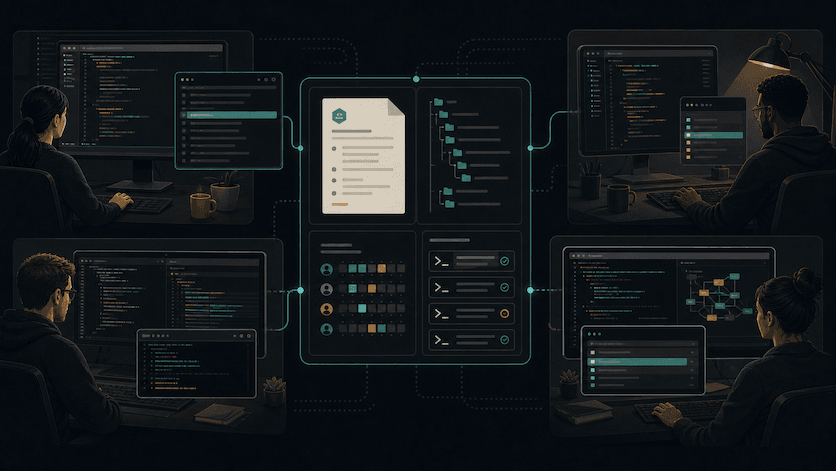
There's a high likelihood that engineers on your team have different preferences for agents and coding tools that they choose to use.
One engineer wants Claude Code. Another wants Codex. Someone else is using goose, Cursor, Copilot, or whatever new thing dropped last week. The harnesses will keep changing. The tools are moving too quickly, and honestly, developers will always have preferences.
So instead of making the tool the center of the strategy, enable the repository to provide resources, instructions and guardrails that ensure a consistent level of output and conventions regardless of which agent is used.
The repo is the one place every engineer and every agent has to respect. It is where project context, contribution rules, testing expectations, security constraints, and architectural decisions should live. This is also called repo readiness.
Repo readiness
Repo readiness is the work of making a codebase easy for an AI coding agent to work in - without compromising on clarity for humans. If a repository is ready, the AI can read, build, and test the code without getting confused.
The simplest place to start is an AGENTS.md file. Think of it as a README for coding agents. Your README is still for humans, but AGENTS.md gives agents the extra operating context they need to work responsibly inside the project.
This file could include:
- what the project does
- how to install dependencies
- how to run the app locally, tests, linting, type checks, and security checks
- the code style and architecture patterns the team cares about
- what files, directories, or workflows agents should avoid
- how pull requests should be structured
- what kind of tests are expected for different kinds of changes
Many people rely on a generated CLAUDE.md, AGENTS.md, or tool-specific memory file created after an agent scans the repo. That is useful, but it is not enough. The model can only record what it can see. It cannot know the undocumented production incident from last year, the migration that should never be repeated, the database table that looks unused but powers finance reporting, or the reason the team chose one boring pattern over a clever one.
That hidden context is exactly what senior engineers usually carry in their heads. Agentic development forces teams to write more of that down.
Repo readiness in large codebases or monorepos
For larger codebases, especially monorepos, I would go further:
- add nested
AGENTS.mdfiles for important packages or services - keep ownership information close to the code
- document common investigation paths
- add examples of good pull requests
- add commands for focused test runs, not just full-suite commands
- write down security and privacy boundaries
- create reusable agent prompts or recipes for common tasks
This is not just documentation for agents. It is onboarding infrastructure for the whole team.
Tools like goose, Claude Code, Codex, GitHub Copilot, Cursor, Windsurf, Aider, and Gemini CLI all approach the coding workflow differently. Some are local-first. Some are IDE-first. Some are more autonomous. Some fit better into enterprise controls. That variety is fine.
The team-level question should be: if two engineers use different agents, do they still receive the same project truth?
If the answer is no, the tool is not the problem yet. The repository is.
Code Reviews
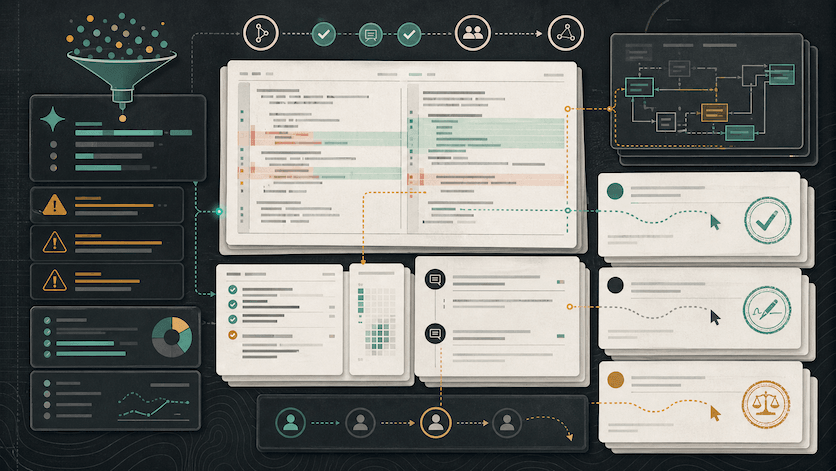
Code review is where agentic development puts real pressure on engineering teams, and it is a bottleneck many products are now racing to solve.
AI helps people produce more code faster. That sounds great until you remember that the review capacity of the team did not magically increase at the same rate. If one senior engineer was already reviewing too many pull requests, AI-assisted development can turn that into a serious bottleneck. Unless of course, you trust the agents, merge the PRs and wait for the problems to pay you a visit in production.
The first step is to look towards AI-assisted code review to triage and summarize pull requests before they reach human reviewers. That means AI should help with things like:
- catching missing tests
- spotting inconsistent patterns
- explaining large diffs
- summarizing risk areas
- checking whether PR descriptions match the code
- identifying obvious security or performance concerns
- suggesting small fixes before a human reviewer has to repeat themselves
Tools like GitHub Copilot code review, CodeRabbit, Qodo, and others are trying to sit in this layer. They can be useful, but the process around them matters just as much as the tool itself.
To be clear, I do not think AI code review replaces human review for serious teams. Not today. The best use of AI review is to reduce the amount of obvious work humans have to spend time on, so human reviewers can focus on judgment. If AI review comments are noisy, people will ignore them. If they are too aggressive, people will fight them. If they are not connected to your team's standards, they will produce generic feedback that feels impressive the first week and annoying by the third.
The better pattern is to make AI review policy-driven.
For example:
- limit pull requests to address one issue or feature at a time
- ask the agent to summarize risk, not approve code
- make the agent check against your
AGENTS.mdand contribution guidelines - route certain files to required human owners
- treat AI comments as suggestions, not merge blockers, unless backed by deterministic checks
- measure false positives and review fatigue
Agentic tools make it easy to generate a 2,000-line pull request that technically works but is painful to review. Senior teams should push in the opposite direction: smaller PRs, clearer descriptions, better test evidence, and a personal review of the changes before creating a pull request. Using another model for a pre-review can be helpful, but the author still owns the judgment.
CI/CD Pipelines
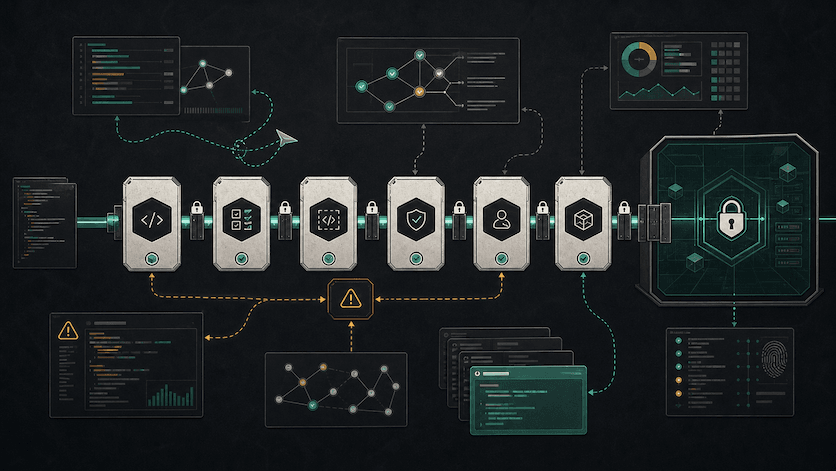
Code review is governance and CI/CD is enforcement. That distinction matters even more when agents enter the workflow. A Slack agent, cloud coding agent, headless local agent, or DevOps assistant can help move work from issue to pull request to deployment. But it should not quietly become the thing that decides production is safe.
I have spoken to a lot of people who are excited about AI in the development loop but hesitate when the conversation gets to deployment pipelines - "You want to give Claude access to your AWS console?" haha. A valid concern if you ask me.
A well-intentioned agent with the wrong permissions can do real damage. Dropping the wrong database, rotating the wrong secret, skipping the wrong check, or deploying the wrong artifact is not a cute AI story. It is an incident.
CI/CD should remain deterministic. The gates that decide whether code can move forward should be boring, repeatable, auditable, and owned by the team. Tests should pass. Types should pass. Security scans should pass. Policy checks should pass. Deployment approvals should still mean something.
Agents can help around those gates. They can:
- explain why a build failed
- identify flaky tests
- propose a fix for a failing workflow
- summarize deployment risk
- open a follow-up PR for a CI failure
- check release notes against merged changes
- generate rollback notes or incident context
- help developers understand security scan results
They should not remove the gate because it is inconvenient.
This is where tools like GitHub Actions, Buildkite, Snyk, and policy-as-code systems still matter a lot. AI does not remove the need for deterministic automation. It increases the need for it.
The more AI-assisted code your team ships, the more important your non-AI checks become. A human-in-the-loop process is still a requirement for production safety. Agents can help with the investigation, but they should not be the ones to decide whether a change is safe to ship.
Cloud Automations
Consider this a bonus fourth part, one that cuts across the other three. Cloud automations can pick up issues the way an engineer would in local development, open and pre-review pull requests, and work around your CI/CD pipelines. It is also where the conversation gets more interesting.
Anthropic recently announced Claude Tag, which lets teams tag Claude in Slack, give it access to selected tools and codebases, and delegate tasks asynchronously. You can also set up headless goose, a noninteractive environment designed for automation in CI/CD pipelines, servers, and batch processing. GitHub's Copilot cloud agent also points in this direction, with agents that can work in the background on repository tasks.
As we automate, remember: the safe pattern is not "give the agent access to production and see what happens." The safe pattern is:
- agents investigate
- agents explain
- agents propose fixes
- agents open pull requests
- CI validates
- humans approve
- production permissions remain tightly scoped
- every agent action is logged and reviewable
Tools Are Not The Strategy
It is tempting to make this whole conversation about which agent is best. That is the least stable part of the conversation especially as the tools keep evolving.
The more important conversation is about the operating model around the tools:
- Where does project context live?
- How do agents learn team standards?
- What permissions do they have?
- What work can they do without approval?
- What work always needs a human?
- How do reviewers know what changed and why?
- What checks must pass before merge?
- What happens when an agent is wrong?
- How do you measure whether this is actually helping the team?
These are not tool questions. These are engineering leadership questions.
The teams that get the most value from agentic development will not be the teams that simply adopt the most AI tools. It will be the teams that make their engineering systems legible enough for both humans and agents to operate inside them safely.
That means writing down context. Tightening review practices. Improving CI. Being honest about risk. Treating agents as collaborators that need constraints, not magic teammates that should be trusted by default.
A Practical Starting Point
If I were helping a team start this today, I would not begin with a massive rollout. We start with a small team of AI enthusiasts and a single repository. We test out tools, configuration and processes. AI fatigue is real, especially at work - the last thing you want to do is have the entire team try out one tool after another that does the same thing yet not well enough.
With your chosen repository and team, I would ask the following questions:
- Do we have an
AGENTS.mdfile with setup, test, style, review, and security instructions? - Can a new engineer or agent run the project without asking someone for hidden context?
- Are our PR expectations clear enough for an agent to follow?
- Do we have deterministic CI checks that catch basic quality and security issues?
- Can we use an AI review tool to summarize and triage PRs without replacing human review?
- Can an agent investigate CI failures and propose fixes without getting direct production permissions?
- Are agent actions visible enough that the team can audit them later?
- For infrastructure or cloud changes, do plans, approvals, rollback paths, and ownership still exist outside the agent?
Every team will have different needs, answers and processes even when using the same tools. The important part is to make those decisions explicit and document them in the repository so that agents and humans can work together and ship safely.
Keep reading
- DesignSoftware Development
Everybody has to design
When everyone can build applications, what sets a product apart is the experience intentionally designed for the people using it. Everybody has to design.
- Agentic AIPersonal
My year in AI
A reflective look at a year working with agentic AI in the real world — from MCPs and goose to real workflows, non-engineers, and team-scale software development.
- Agentic AIWeb Development
Are the rubber ducks getting smarter
Like many people, the solution to a coding problem I’ve struggled with suddenly appears when I try to explain it to someone or something. Sometimes even while sleeping. How are new AI tools changing the way we debug and write code?